Reading Screenshots and Demos in Apple Developer Account Sales
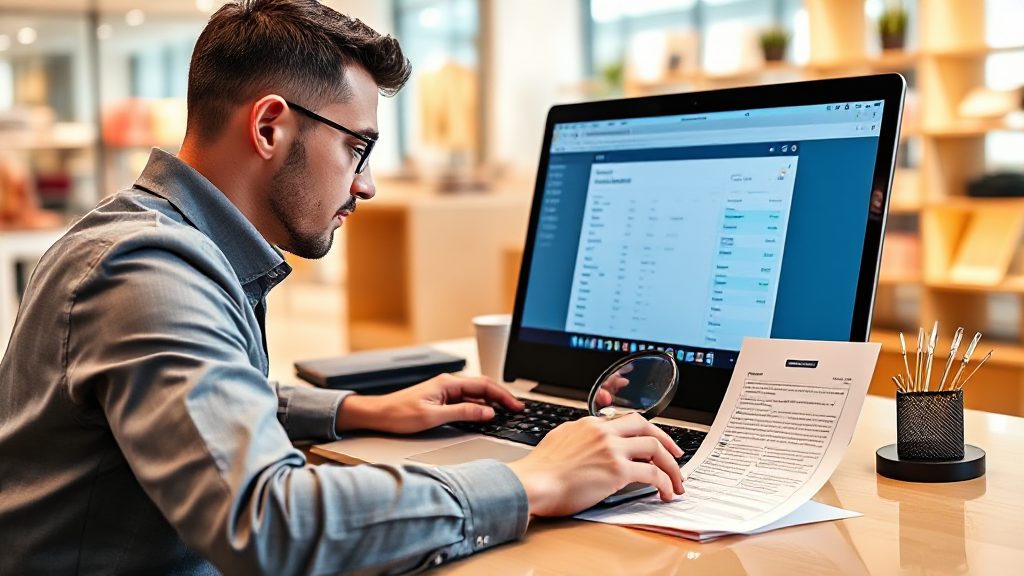
A screenshot is a claim, not proof. That single idea has saved me more money than any checklist I have ever written down. When you set out to Buy Apple Developer Accounts, the seller almost always opens with images: a dashboard, a membership panel, a payment receipt, a tidy little row of green checkmarks. Those images feel like evidence because they look like something a real person captured in a real moment. In practice, they are the easiest part of the entire transaction to fabricate, and the cheapest skill you can develop in this market is learning to read them the way a skeptical auditor would.
I have been on the receiving end of staged screenshots more than once. One seller sent me a membership page that looked flawless until I noticed the status bar clock showed a time zone that did not match the location the account was supposedly registered in. Another sent a receipt with a font weight that was subtly off from every genuine Apple receipt I had seen. Neither of those catches required special software. They required slowing down and asking what the image was actually capable of proving.
What a Screenshot Can and Cannot Prove
A screenshot can prove that at some point, on some machine, a browser rendered a page that looked a certain way. That is the entire scope of its evidentiary value. It cannot prove the page belongs to the seller, that the account is still active, that the credentials will work when you try them, or that the same account has not already been sold to three other buyers. Images are static, and account status is not.
The most common mistake is treating a screenshot of a membership dashboard as confirmation of ownership. Ownership lives in the Apple ID, the associated email, the two-factor authentication device, and the payment history. A dashboard view shows none of that. It shows a session. Sessions can be opened by anyone holding temporary access, and temporary access is exactly what a reseller can grant and then revoke.
What a screenshot can do is give you a starting point for questions. If the seller shows an organization membership, you can ask which legal entity name appears on the enrollment, when it was approved, and whether the annual fee has been paid for the current cycle. If the seller shows an aged individual account, you can ask for the account creation year and whether the associated email has ever been changed. The image prompts the question; it does not answer it.
One practical habit: check the metadata. Most platforms strip EXIF data on upload, but if a seller sends a raw file, the timestamp and device model can contradict the story. A screenshot supposedly taken on a MacBook that carries an Android device signature is not a smoking gun on its own, but it is a reason to slow the conversation down. When I was evaluating sources to Buy Apple Developer Accounts for a small studio project, the sellers who volunteered unedited files without being asked were consistently the ones worth talking to.
Screen Recordings: Better, But Still Editable
A screen recording raises the bar. Watching someone navigate from a login screen into an account dashboard, open the membership section, and scroll through payment history in one continuous take is meaningfully harder to fake than a still image. The continuity matters because it forces the seller to demonstrate a working session rather than a cropped moment.
But recordings are not immune. Editing tools can splice footage, and a determined seller can record a session on an account they have temporary access to and never intend to hand over. The tell is usually in the transitions: a cursor that jumps position between cuts, a clock that skips forward, a scroll that reverses unnaturally. Watch the recording twice. The first pass is for the content; the second is for the seams.
Ask for a recording that includes specific, unscripted actions. Request that the seller open the account settings, navigate to the devices list, and show the trusted phone number partially masked. Request that they open the purchase history and scroll to the oldest entry. These are not actions a seller can prepare in advance with a template, and they reveal whether the account has the depth the seller claims.
Duration is also informative. A thirty-second clip that shows only the dashboard is nearly as weak as a screenshot. A four-minute recording that walks through login, membership status, payment history, and device management tells a much more complete story. If a seller resists a longer recording, that resistance is itself information.
Live Demos and What to Watch For
A live demo over a screen-sharing session is the strongest of the three formats because you can ask for actions in real time. You can request that the seller log out and log back in. You can ask them to open a new browser window and type the Apple ID manually rather than relying on a saved session. You can ask them to show the account recovery settings.
The live format also exposes hesitation. A seller with a genuine account moves through the interface without pausing to think about where things are. A seller working from someone else’s session or a fabricated environment tends to stall, click the wrong menu, or narrate excessively to cover the gap. I have watched a seller spend forty seconds searching for a settings page that any real account holder would reach in five.
There is one caveat: live demos consume the seller’s time, and legitimate sellers will reasonably limit how long they will spend. A seller who offers a fifteen-minute walkthrough without complaint is signaling confidence. A seller who insists on a two-minute window and refuses follow-up questions is signaling the opposite. The willingness to be inconvenienced is one of the most reliable signals in this market.
If a live demo is not possible, ask for a recording that includes a spoken narration of what is being shown. Narration makes splicing harder and forces the seller to commit to specific claims about the account’s history and status.
Staging Tricks That Fool Careful Buyers
The most effective deceptions are not crude forgeries. They are real screenshots of real accounts that simply are not the account being sold. A seller with access to a legitimate developer account can capture a beautiful dashboard view, then sell a different, empty account to the buyer. The image was never fake; it was just misattributed.
Another common trick is the staged environment. A seller can build a local HTML page that mimics the Apple developer interface, complete with plausible fonts and layout, and capture it. The result looks authentic in a screenshot because it is a real rendering of a real page, just not Apple’s page. Live demos defeat this trick because the seller would have to maintain the illusion across navigation, and the URL bar is much harder to fake convincingly in motion.
Time-shifting is a third technique. A seller captures a screenshot of an account while it is active, then the account lapses or is reclaimed, and the seller continues to use the old image in negotiations. This is why recency matters. Ask for a screenshot that includes a visible timestamp from the system clock, or better, ask for a live demo so the current date is unambiguous.
A fourth trick involves partial masking. Sellers will blur or crop the parts of a dashboard that would reveal the account is an individual membership being sold as an organization account, or that the enrollment is in a pending state. When something is masked, ask why. There are legitimate reasons to hide personal information, but the seller should be able to explain the boundary clearly.
Finally, be wary of image quality that is suspiciously low. Blur and compression artifacts can hide inconsistencies that would be obvious in a clean capture. A seller who sends only heavily compressed images, and refuses to send originals, is managing what you can see. That is not always malicious, but it is always a reason to ask for a live demo instead.
What to Ask For Instead of Screenshots
If screenshots are weak evidence and recordings are editable, the answer is not to demand perfect proof, because perfect proof does not exist in a resale market. The answer is to shift the burden of demonstration toward formats that are hard to fake and toward commitments that are enforceable after the sale.
Ask for a live demo first, with a specific list of actions you want to see performed. If a live demo is impossible, ask for a continuous, narrated recording that includes login, membership status, payment history, and device management. Ask for the account creation year and the enrollment type in writing. Ask whether the associated email and recovery phone can be transferred to you, and in what timeframe.
Then, and this matters more than any image, ask what happens if the credentials fail on the first login attempt. A seller who offers a clear replacement or refund window is accepting risk alongside you. A seller who offers only assurances is not. The screenshots and demos are useful for filtering out the obvious frauds, but the terms of the transaction are what actually protect you.
When you are ready to compare sources and see how different sellers present their verification materials, the listings collected at Buy Apple Developer Accounts are a reasonable place to start, precisely because they put multiple sellers side by side and make the differences in evidence quality visible. Read the images critically, watch the recordings twice, insist on a live demo when you can, and treat every screenshot as the beginning of a question rather than the end of one.
FAQ
Can a screenshot ever be enough to verify an Apple Developer account?
No. A screenshot can only show that a page rendered a certain way at some point. It cannot confirm the seller owns the account, that the account is still active, or that the credentials will work for you. Treat screenshots as prompts for follow-up questions, never as final verification.
What is the single most useful thing to request instead of images?
A live screen-sharing demo where you can ask the seller to perform specific actions in real time, such as logging out and back in, opening the devices list, or scrolling to the oldest payment record. Real-time navigation is far harder to fake than a still image or an edited clip.
How can I tell if a screen recording has been edited?
Watch for cursor jumps between cuts, a system clock that skips forward, unnatural scroll reversals, and narration that does not match the on-screen action. Watching the recording a second time specifically for these seams catches most edits.
What should I ask for if the seller refuses a live demo?
Ask for a continuous, narrated recording that covers login, membership status, payment history, and device management in one take. Also ask for the account creation year, enrollment type, and the transfer process for the associated email and recovery phone, in writing.
Do refund or replacement terms matter more than the demo?
Yes. A clear replacement or refund window means the seller is sharing the risk with you. Assurances without terms leave you carrying all of it. The demo helps you filter out obvious frauds, but the transaction terms are what actually protect your money.